

List panels with search option with AX 2012

The number of suppliers most times is very big so this time we will add search functionality.
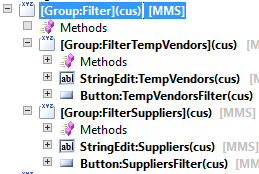
To start we need new group in our form with two new filter groups:


To each group, “FilterTempVendors” and “FilterSuppliers”, we will add “StringEdit” and “Button” control:
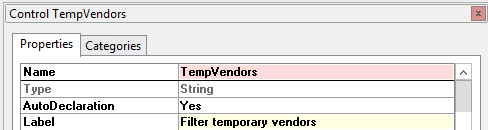


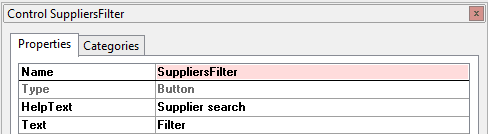
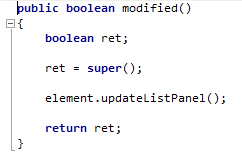
Now override modified() method on both “StringEdit” controls:
And on both “Button” controls override method clicked():
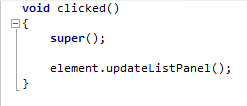
Method updateListPanel() was created previously and contains the fill() method from list panel.
Now our form contains search fields for each of the panels but for the filter functionality to work we need to add more code into each of methods responsible for filling the data, so suppliers() and temporaryVendors():
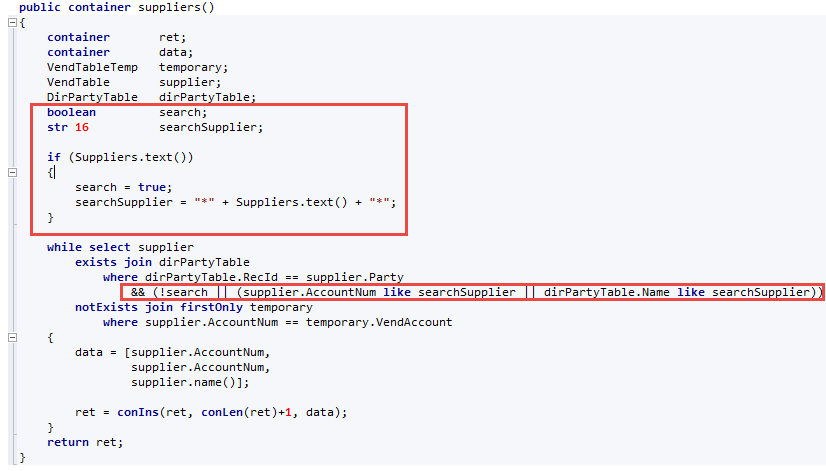
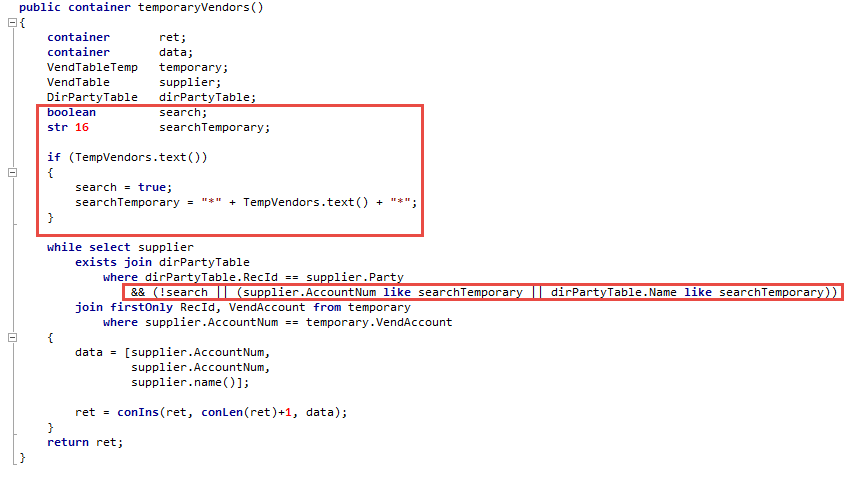
Now our search functionality is in place. Final view of form new objects:

See more

AGA pomaga – poznaj inteligentnego asystenta do przetwarzania zapytań ofertowych: ANEGIS Generative Assistant


Jak z pomocą narzędzi Power Platform, Microsoft Fabric i AI zrealizować plan na cyfrową transformację? ANEGIS Power Center

Obowiązkowy KSeF startuje za 4 miesiące! Umów się na bezpłatne konsultacje i przygotuj swój system na zmiany
Let's talk about your project
Let us know what you need: implementation, migration, system development, or a question you’re looking to have answered. We’ll get back to you with a concrete proposal for the next step - not a sales pitch.




