

Reference group in table browser in AX 2012

List of columns consists of all visible non-system fields in alphabetical order as well as some of system fields in the end.
Although the key feature of Table browser has not changed in Microsoft Dynamics AX 2012, the nature of data has slightly evolved – the surrogate keys have been introduced. As a result, RefRecId-based fields can be seen in table browser quite often. Obviously, it is not a preferable way of exploring data for any team member. Fortunately, there is a chance to make the form more human-readable:
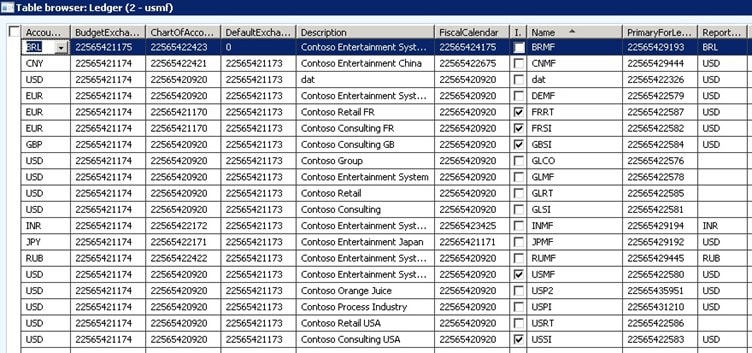
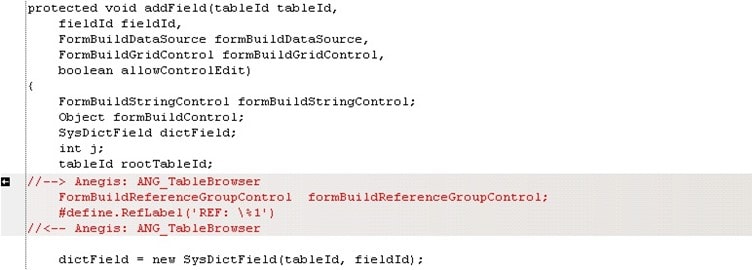
All we need is to add a reference group just after surrogate key field is shown on the grid. We modify addField() method of SysTableBrowser class.
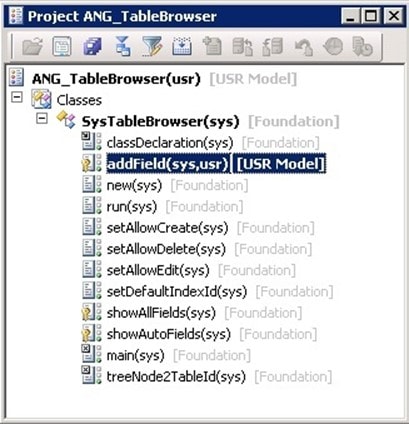
Changes are in:
When we deal with Int64-based DictField:
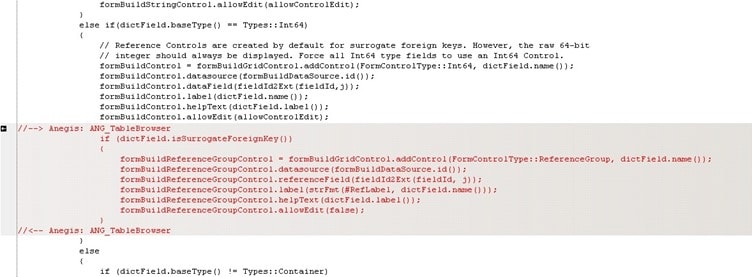
The reference group is read-only and labelled as “REF: field” to mark it is not a field from table:
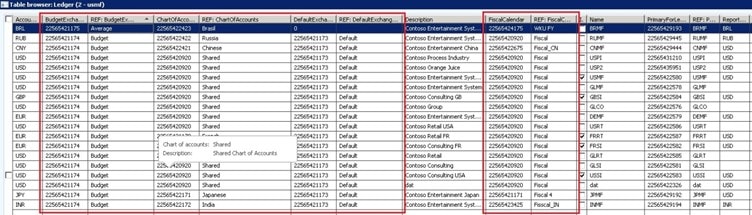
In general, there can be more than one column added in reference group. It depends on AutoIdentification field group from related table. Let us look at DirPartyLocationRole table and surrogate key PartyLocation.
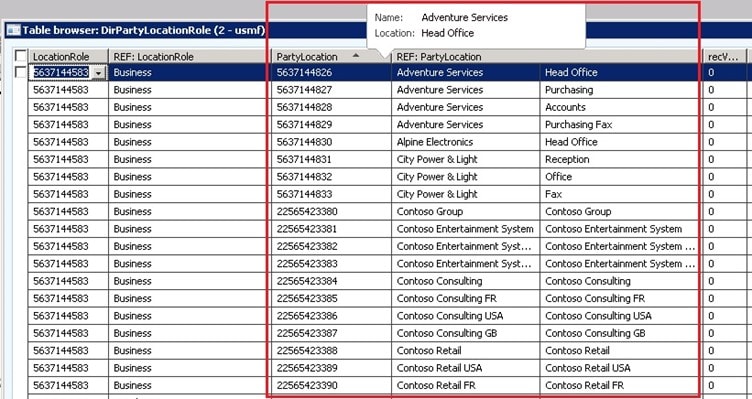
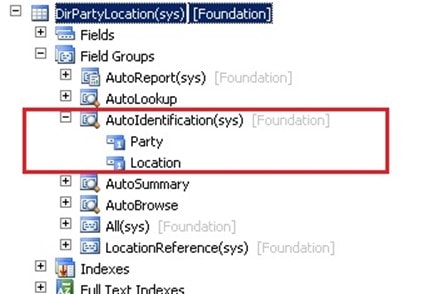
This example is even more interesting, because referenced AutoIdentification field group in DirPartyLocation table contains two surrogate keys – Party and Location. The described mechanism finally takes DirPartyTable.Name and LogisticsLocation.Description (both belong to AutoIdentification field group of proper table) as a content of reference group displayed on grid.
See more

AGA pomaga – poznaj inteligentnego asystenta do przetwarzania zapytań ofertowych: ANEGIS Generative Assistant


Jak z pomocą narzędzi Power Platform, Microsoft Fabric i AI zrealizować plan na cyfrową transformację? ANEGIS Power Center

Obowiązkowy KSeF startuje za 4 miesiące! Umów się na bezpłatne konsultacje i przygotuj swój system na zmiany
Let's talk about your project
Let us know what you need: implementation, migration, system development, or a question you’re looking to have answered. We’ll get back to you with a concrete proposal for the next step - not a sales pitch.




